
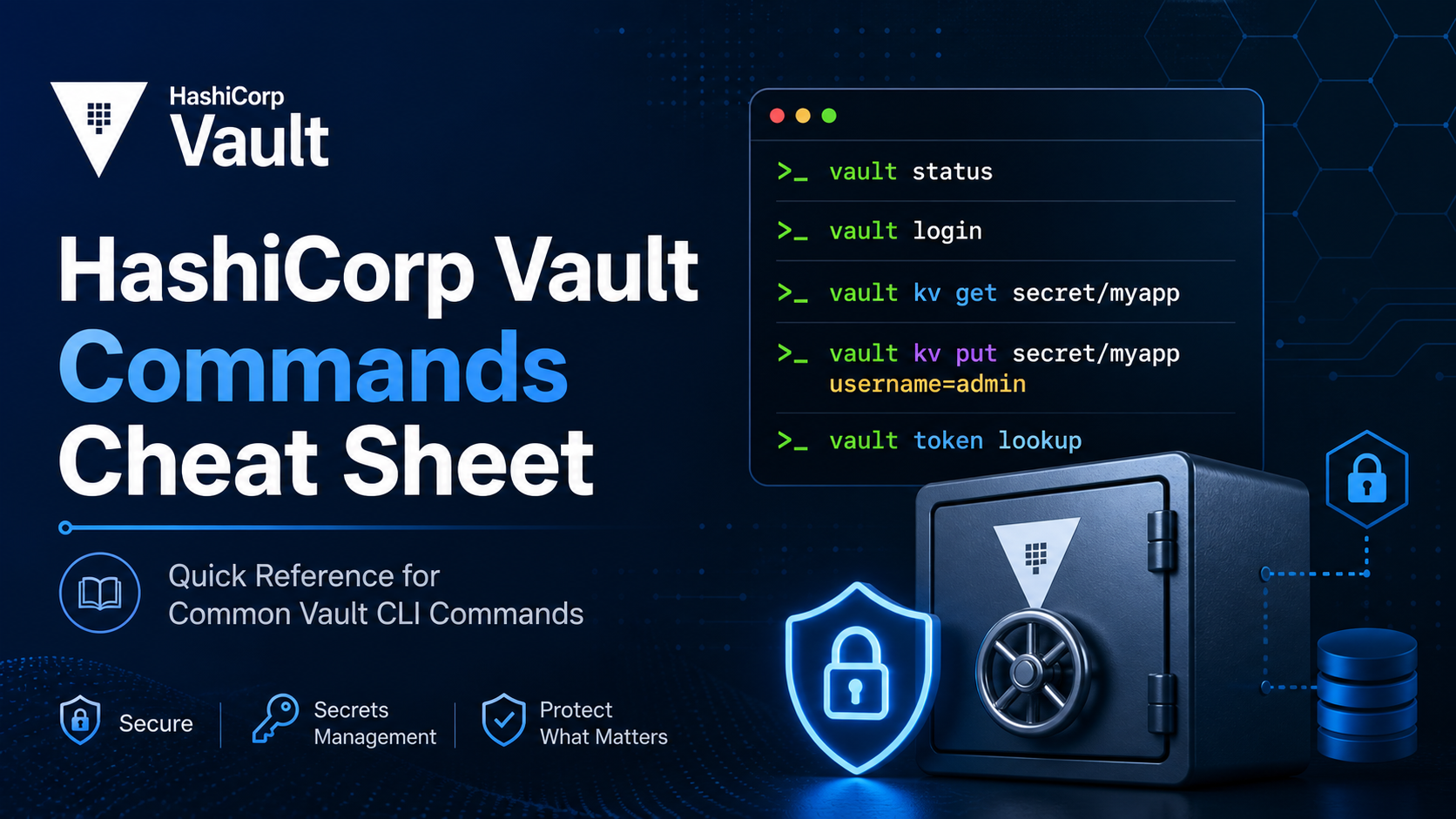
Vault has hundreds of CLI commands across auth methods, secrets engines, policy management, and operations. This cheat sheet is the subset you actually use, organized so you can scan it in 30 seconds and run the right command.
📥 Download the PDF Cheat Sheet
Print-friendly, single-file reference. Same content as below, formatted for two-up printing.
Download Vault Cheat Sheet (PDF)
1. Environment Setup
# Talk to a Vault server
export VAULT_ADDR='http://127.0.0.1:8200'
export VAULT_TOKEN='hvs.xxxxx'

# Skip TLS verification (dev only)
export VAULT_SKIP_VERIFY=true

# Use a CA bundle
export VAULT_CACERT=/etc/vault/ca.pem

# Namespace (Enterprise)
export VAULT_NAMESPACE='admin'
VAULT_ADDR and VAULT_TOKEN are the two variables you set in every shell. Put them in a .envrc (direnv) per project so you don't accidentally write to prod.
2. Server Lifecycle
# Dev server (in-memory, single unseal key, root token printed)
vault server -dev

# Production server with config file
vault server -config=/etc/vault.d/vault.hcl

# Status
vault status

# Version
vault version
The -dev server is for local testing only. It auto-unseals and prints a root token to the terminal. Never run -dev in production.
3. Initialize and Unseal
# Initialize (Shamir, 5 keys, threshold 3)
vault operator init -key-shares=5 -key-threshold=3

# Initialize with auto-unseal (KMS) and recovery keys
vault operator init -recovery-shares=5 -recovery-threshold=3

# Unseal (run threshold times with different keys)
vault operator unseal <unseal-key>

# Seal
vault operator seal

# Rotate the encryption key
vault operator rotate

# Rekey (change unseal/recovery key shares)
vault operator rekey -init -key-shares=5 -key-threshold=3
Initialize once. Distribute the unseal keys to separate humans. With auto-unseal (AWS KMS, GCP KMS, Azure Key Vault, Transit), the server unseals itself on restart and you only protect the recovery keys.
4. Authentication
# Login with token
vault login <token>

# Login with userpass
vault login -method=userpass username=sam

# Login with AppRole
vault write auth/approle/login \
  role_id=<role_id> \
  secret_id=<secret_id>

# Login with OIDC (browser flow)
vault login -method=oidc role=reader

# Logout / revoke current token
vault token revoke -self
Token Operations
vault token create -policy=default -ttl=1h
vault token create -orphan -policy=admin
vault token lookup
vault token lookup -accessor <accessor>
vault token renew
vault token revoke <token>
vault token revoke -mode=orphan <token>
Tokens are the currency of Vault. Every authenticated request uses one. Use short TTLs and renew, never long-lived tokens in CI.
5. Auth Methods
# List enabled auth methods
vault auth list

# Enable an auth method
vault auth enable userpass
vault auth enable -path=k8s kubernetes
vault auth enable approle
vault auth enable jwt
vault auth enable aws

# Disable an auth method
vault auth disable userpass

# Tune
vault auth tune -default-lease-ttl=1h userpass/
AppRole
vault write auth/approle/role/my-role \
  token_policies="my-policy" \
  token_ttl=1h token_max_ttl=4h

vault read auth/approle/role/my-role/role-id
vault write -f auth/approle/role/my-role/secret-id
AppRole solves machine-to-Vault auth when there's no platform-native identity. The role_id is the public part, secret_id is the secret. Combine with response wrapping for secret-zero delivery.
Kubernetes
vault write auth/kubernetes/config \
  kubernetes_host="https://kubernetes.default.svc" \
  [email protected] \
  token_reviewer_jwt=@token

vault write auth/kubernetes/role/my-app \
  bound_service_account_names=my-sa \
  bound_service_account_namespaces=default \
  policies=my-app ttl=1h
Pods authenticate with their ServiceAccount JWT. Vault validates with the K8s TokenReview API, then issues a Vault token bound to the SA's policies.
Userpass
vault write auth/userpass/users/sam \
  password=changeme \
  policies=admin
For humans only, and only when SSO/OIDC isn't an option.
6. Secrets Engines
# List enabled engines
vault secrets list -detailed

# Enable
vault secrets enable -path=secret kv-v2
vault secrets enable database
vault secrets enable pki
vault secrets enable transit
vault secrets enable aws

# Disable (destroys data)
vault secrets disable secret/

# Tune (max lease, default lease)
vault secrets tune -max-lease-ttl=24h pki/
KV v2
# Write
vault kv put secret/myapp/config username=admin password=pw

# Read
vault kv get secret/myapp/config
vault kv get -field=password secret/myapp/config
vault kv get -format=json secret/myapp/config

# List
vault kv list secret/myapp

# Versions
vault kv get -version=2 secret/myapp/config
vault kv undelete -versions=3 secret/myapp/config
vault kv destroy -versions=3 secret/myapp/config
vault kv metadata get secret/myapp/config

# Patch (merge update)
vault kv patch secret/myapp/config new_key=value

# Delete latest version (soft delete)
vault kv delete secret/myapp/config

# Delete metadata + all versions (hard delete)
vault kv metadata delete secret/myapp/config
KV v2 keeps version history. delete is a soft delete (recoverable with undelete). destroy is permanent for that version. metadata delete wipes everything.
Transit (encryption-as-a-service)
vault write -f transit/keys/my-key
vault write transit/encrypt/my-key plaintext=$(echo "hello" | base64)
vault write transit/decrypt/my-key ciphertext=vault:v1:...
vault write -f transit/keys/my-key/rotate
vault write transit/rewrap/my-key ciphertext=vault:v1:...
Apps send plaintext to Vault and get ciphertext back. The key never leaves Vault. After rotating, use rewrap to upgrade old ciphertext to the new key version without ever decrypting it client-side.
Database (dynamic credentials)
vault write database/config/postgres \
  plugin_name=postgresql-database-plugin \
  allowed_roles="readonly" \
  connection_url="postgresql://{{username}}:{{password}}@db:5432/postgres" \
  username="vault" password="vaultpw"

vault write database/roles/readonly \
  db_name=postgres \
  creation_statements="CREATE ROLE \"{{name}}\" WITH LOGIN PASSWORD '{{password}}' VALID UNTIL '{{expiration}}'; GRANT SELECT ON ALL TABLES IN SCHEMA public TO \"{{name}}\";" \
  default_ttl=1h max_ttl=24h

vault read database/creds/readonly
Every read database/creds/<role> mints a fresh DB user with a TTL. Vault drops the user when the lease expires. No long-lived DB passwords in .env files.
PKI
vault secrets enable pki
vault secrets tune -max-lease-ttl=87600h pki/

vault write pki/root/generate/internal \
  common_name="example.com" ttl=87600h

vault write pki/config/urls \
  issuing_certificates="$VAULT_ADDR/v1/pki/ca" \
  crl_distribution_points="$VAULT_ADDR/v1/pki/crl"

vault write pki/roles/example-dot-com \
  allowed_domains="example.com" \
  allow_subdomains=true max_ttl=72h

vault write pki/issue/example-dot-com \
  common_name="web.example.com" ttl=24h
Vault as your internal CA. Short-lived certs (hours, not years). For automation, pair with consul-template or vault-agent to renew before expiry.
AWS
vault write aws/config/root \
  access_key=AKIA... secret_key=... region=us-east-1

vault write aws/roles/my-role \
  credential_type=iam_user \
  [email protected]

vault read aws/creds/my-role
Dynamic AWS credentials. CI job needs S3 access? Mint a 15-minute IAM user, run the job, Vault revokes.
7. Policies
# Write a policy from a file
vault policy write admin admin-policy.hcl

# Read a policy
vault policy read admin

# List policies
vault policy list

# Delete a policy
vault policy delete admin

# Format a policy
vault policy fmt my-policy.hcl
Policy Syntax
# admin-policy.hcl
path "secret/data/*" {
  capabilities = ["create", "read", "update", "delete", "list"]
}

path "sys/policies/acl/*" {
  capabilities = ["read", "list"]
}

path "auth/token/create" {
  capabilities = ["create", "update"]
}
Capabilities: create, read, update, delete, list, sudo, deny, patch. deny overrides everything else. Use sudo sparingly, it grants access to root-protected paths like sys/.
8. Leases
vault list sys/leases/lookup/database/creds/readonly
vault lease lookup <lease_id>
vault lease renew <lease_id>
vault lease revoke <lease_id>
vault lease revoke -prefix database/creds/readonly
vault lease revoke -force -prefix pki/
Every dynamic secret has a lease. Leases drive Vault's "time-bounded access" model. When you rotate or break-glass, revoke -prefix invalidates everything under a path in one call.
9. Audit Devices
vault audit list
vault audit enable file file_path=/var/log/vault_audit.log
vault audit enable syslog tag="vault" facility="AUTH"
vault audit disable file/
Enable at least one audit device in production. If all audit devices fail, Vault blocks all requests. That's a feature: no audit, no access.
10. Raft Storage Operations
# Cluster
vault operator raft list-peers
vault operator raft join https://active-node:8200
vault operator raft remove-peer <node-id>

# Snapshots
vault operator raft snapshot save backup.snap
vault operator raft snapshot restore backup.snap
vault operator raft snapshot restore -force backup.snap

# Autopilot
vault operator raft autopilot get-config
vault operator raft autopilot state
Raft is the integrated storage backend. Take snapshots regularly, ideally to off-cluster storage like S3. Test restores. An untested backup is no backup.
11. Namespaces (Enterprise)
vault namespace list
vault namespace create finance
vault namespace lookup finance
vault namespace delete finance

# Operate inside a namespace
VAULT_NAMESPACE=finance vault kv put secret/key value=hi
Namespaces give you tenant isolation inside a single Vault cluster. Each namespace has its own auth methods, policies, secrets engines.
12. API Calls (curl)
# Read a secret
curl -s -H "X-Vault-Token: $VAULT_TOKEN" \
  $VAULT_ADDR/v1/secret/data/myapp/config | jq

# Health
curl -s $VAULT_ADDR/v1/sys/health | jq

# Seal status
curl -s $VAULT_ADDR/v1/sys/seal-status | jq

# Login with AppRole
curl -s -X POST -d '{"role_id":"...","secret_id":"..."}' \
  $VAULT_ADDR/v1/auth/approle/login | jq

# OpenAPI spec (pro tip)
curl -s -H "X-Vault-Token: $VAULT_TOKEN" \
  $VAULT_ADDR/v1/sys/internal/specs/openapi > vault-openapi.json
Pro tip: pull the OpenAPI spec and feed it into Postman, Insomnia, or your IDE for autocomplete on every endpoint.
13. Agent and Templating
# Run Vault Agent with a config file
vault agent -config=/etc/vault/agent.hcl

# Render a template once
vault agent -config=agent.hcl -exit-after-auth
Vault Agent handles login, token renewal, and templating into files. Apps read the rendered file, never touch Vault directly. Essentials in agent.hcl: auto_auth, sink, template, cache, listener.
14. Debugging
# Bundle metrics, pprof, logs
vault debug -duration=2m -output=/tmp/vault-debug.tar.gz

# Live monitor
vault monitor -log-level=debug

# Metrics
curl -s -H "X-Vault-Token: $VAULT_TOKEN" \
  $VAULT_ADDR/v1/sys/metrics?format=prometheus
vault debug is what HashiCorp support asks for first. Capture it during the incident, not after.
15. Common Recipes
# Rotate a static DB password
vault write -force database/rotate-root/postgres

# Wrap a secret_id (response wrapping)
vault write -wrap-ttl=120s -f auth/approle/role/my-role/secret-id

# Unwrap
VAULT_TOKEN=<wrapping_token> vault unwrap

# Lookup wrapping token
vault write sys/wrapping/lookup token=<wrapping_token>

# Identity entity / alias
vault write identity/entity name="sam" policies="admin"
vault write identity/entity-alias \
  name="sam" \
  canonical_id=<entity_id> \
  mount_accessor=<userpass_accessor>
Response wrapping solves secret-zero: hand a wrapping token to a CI job, the job unwraps once, Vault burns the wrapper. If anyone else tried to unwrap first, the legitimate consumer sees the failure and you know there was a leak.
Capability Cheat Card
| Need | Command |
|---|---|
| See what a token can do | vault token capabilities <token> <path> |
| Find the active node | vault status (look for HA Mode) |
| Force-revoke all leases under a path | vault lease revoke -prefix -force <path> |
| Test a policy file's syntax | vault policy fmt my.hcl |
| Find a mount's accessor | vault auth list / vault secrets list (-detailed) |
| Replay encrypted data after key rotation | vault write transit/rewrap/<key> ciphertext=... |
Want to Go Deeper?
This cheat sheet is the surface. The real Vault learning curve is in operating it: HA topologies, auto-unseal, performance replication, disaster recovery, integrating with K8s and CI/CD without leaking secret-zero.
The Vault Associate 003 course covers the full Vault Associate exam syllabus with hands-on labs: auth methods, secrets engines, policies, leases, audit, and the API. See the course →